
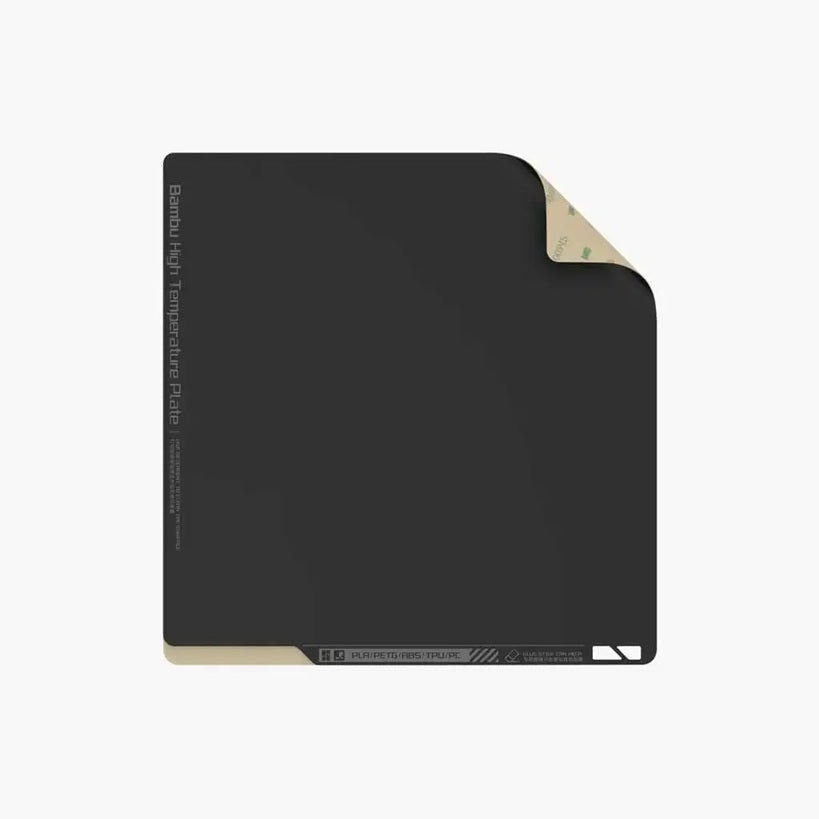
Bambu Lab Spare Sheet for High Temperature Plate
Overview of Bambu Lab Spare Sheet for High Temperature Plate (Smooth PEI)
The Bambu Lab Spare Sheet for High Temperature Plate (Smooth PEI) is a sheet with an adhesive side for replacing the sheet on your High-Temperature Plate.
Compatibility
X1 Series and P1 Series
Pickup available at ADDITRONIX PRINTING MACHINERY TRADING LLC
Usually ready in 24 hours


Downloads
Next, add downloadable files using the settings panel
Frequently asked questions
Still looking for an answer?
What is the difference between the Bambu Lab A1 Mini and the A1 Mini Combo?
The A1 Mini and the A1 Mini Combo are the exact same 3D printer - the only difference is that the Combo also includes the Bambu Lab AMS lite, the automatic material system that lets you print in up to 4 colors or materials at once. If you buy the standalone A1 Mini you can still print in a single color and add the AMS lite later, while the Combo gives you multi-color printing straight out of the box. For most people who want colorful prints from day one, the Combo is the better value.
What is the build volume and print size of the A1 Mini?
The A1 Mini has a build volume of 180 × 180 × 180 mm (about 7 inches cubed), which is ideal for miniatures, phone stands, desk organizers, toys, cosplay parts and functional prototypes that fit within that cube. If you regularly need larger prints, the full-size Bambu Lab A1 offers a bigger 256 × 256 × 256 mm build volume and a hotter 100 °C bed. The A1 Mini's smaller footprint makes it a good choice for desks, dorm rooms and small workspaces.
What filaments and materials does the A1 Mini support?
The A1 Mini works best with PLA, PETG, TPU and PVA — Bambu Lab rates these four as "Ideal" — which covers the vast majority of everyday 3D printing projects. Its all-metal hotend reaches up to 300 °C and the heated bed goes up to 80 °C. Bambu Lab lists ABS, ASA, PC, PA, PET and carbon/glass-fiber reinforced filaments as "Not Recommended," because the printer is open-frame and the bed temperature is lower than those materials need.
Does the A1 Mini have an enclosure, and does that matter for ABS/ASA?
No - the A1 Mini is an open-frame (open-chamber) printer with no enclosure. This is fine for PLA, PETG and TPU, which don't need a heated chamber, but it does matter for high-temperature materials like ABS and ASA that tend to warp and crack without a controlled, warm environment. Bambu Lab specifically recommends an enclosed printer (such as the X2D, or H2 Series) for these materials rather than an open-frame machine like the A1 Mini, so if ABS, ASA, polycarbonate or nylon are important to you, an enclosed printer such as the Bambu Lab P1S is the better choice.
Can the A1 Mini print in multiple colors, and can it print TPU with the AMS lite?
Yes - with the AMS lite (included in the Combo) the A1 Mini can print up to 4 colors or materials in a single print, and Bambu filaments carry RFID tags so the printer automatically applies the correct settings. One important limitation: soft flexible filaments like TPU 95A are not compatible with the AMS lite because they can jam in the feed path — you can still print TPU on the A1 Mini, but you feed it from the external spool holder instead. Keep in mind that multi-color printing also takes noticeably longer and produces some purged filament waste at each color change; Bambu Studio shows you the estimated waste before you start.
How fast is the A1 Mini and is it good for beginners?
The A1 Mini has a top print speed of 500 mm/s and 10,000 mm/s² acceleration, making it one of the fastest printers in its price class (Bambu Lab quotes a 14-minute Benchy in high-speed mode, while everyday quality prints run at more moderate speeds). It's genuinely beginner-friendly: it arrives pre-assembled, pre-squared and pre-tuned, and runs full automatic calibration (bed leveling, Z-offset, vibration and flow-rate compensation) before each print, so most users are printing within about 20 minutes of unboxing. There's no manual bed leveling to learn, which makes it a strong first 3D printer.
How does the A1 Mini connect, and what software does it use?
The A1 Mini connects over Wi-Fi (2.4 GHz) and can also print from a microSD card, and you control it through a 2.4-inch color touchscreen, the Bambu Handy mobile app, or the Bambu Studio desktop slicer. A built-in camera lets you monitor prints remotely and record time-lapses, and there's a LAN-only mode if you prefer to keep the printer off the cloud. Bambu Studio is free and also supports exporting to third-party slicers like Cura and PrusaSlicer, though some advanced features work best in Bambu Studio.
How noisy is the A1 Mini and how much maintenance does it need?
The A1 Mini is one of the quieter desktop 3D printers, running at approximately 48 dB in Silent Mode thanks to active motor noise cancelling. Maintenance is light: Bambu Lab recommends lubricating the Y-axis rail about once a month (the printer will also prompt you), keeping the build plate clean with isopropyl alcohol for good adhesion, and occasionally cleaning the nozzle and filament sensor. The quick-swap hotend design also makes nozzle changes and hotend replacement fast and simple.